Top of this document
Go directly to navigation
Go directly to page content

Plotting Time

Research on timelines for digital stories

Mediamatic, Lava and our clients RVU and NHM are working to enhance digital storytelling through time-based visualizations. How can we better see and understand our history? How can we add our own understanding to historical events and personal histories?

Contents of this post:

Research existing work:
-Time-based data visualizations
-Contemporary dynamic timelines

Design proposal and sketches
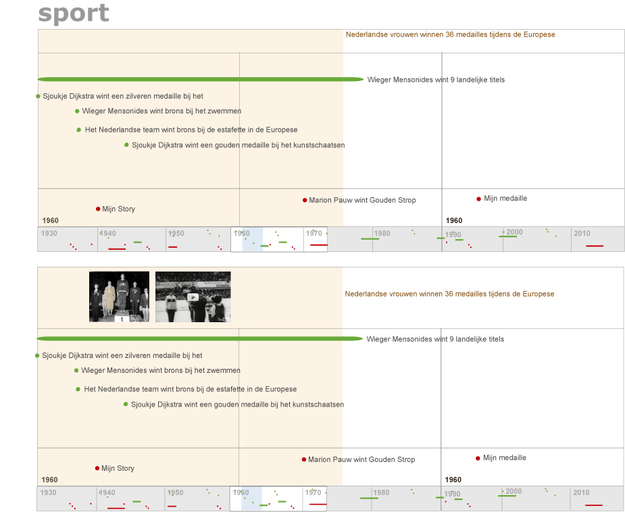
To inform our design, we began by thinking about the problem and exploring previous work.

Here’s a quick sampling of timelines in the digital and in some cases print world.
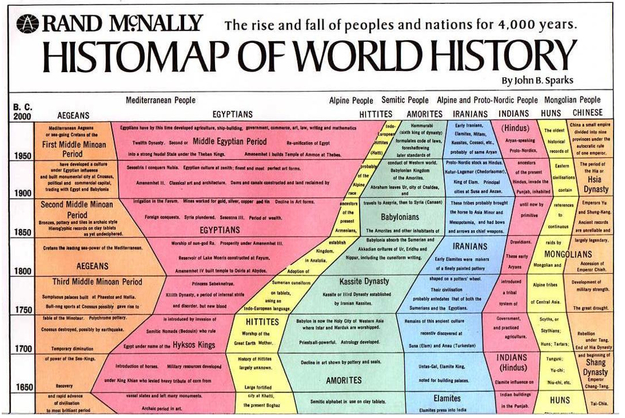
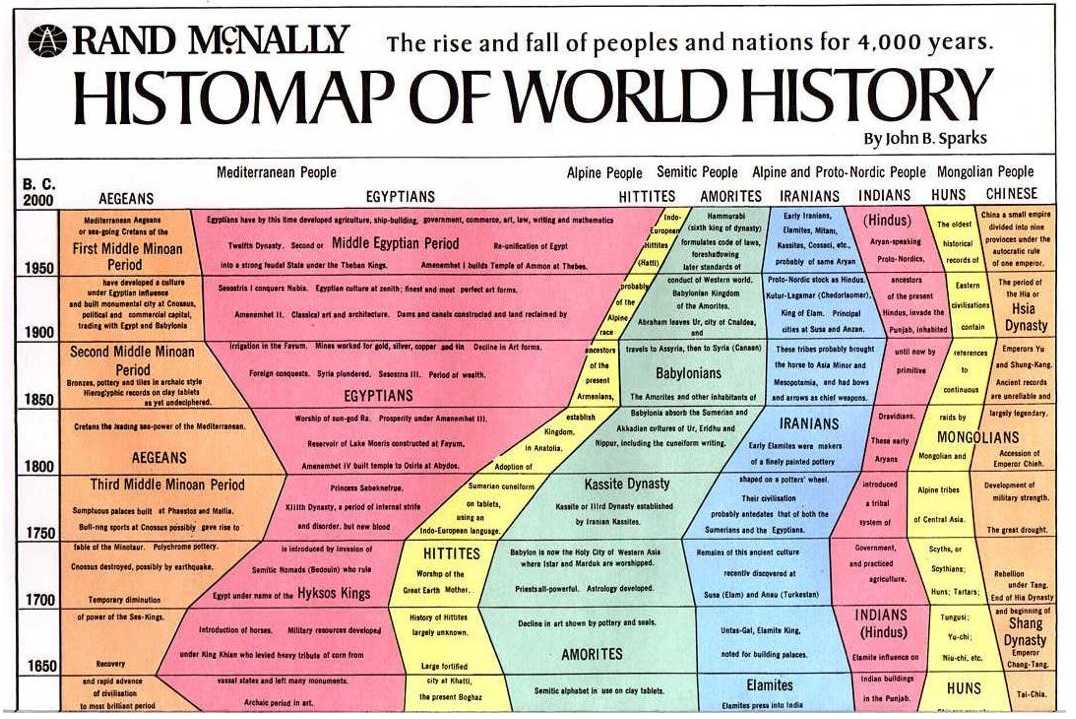
  • Sparks Timeline of World History-

    In this map of world history designed by John Sparks for Rand McNally, time runs on the y-axis and the composition of the world population over time is displayed on the x-axis.

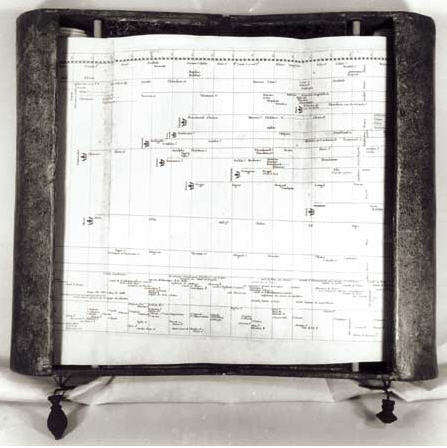
  • Carte chronologique by Jacques Barbeu-Dubourg 1753-

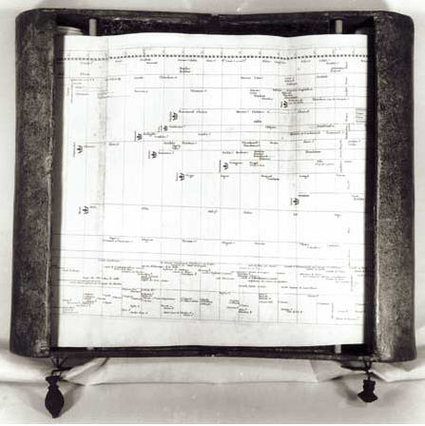
    In some ways this first formal timeline already demonstrates the need for the digital and suggests ways we can translate the digital back to print. Barbeu-Dubourg fit the complete human history, as he conceived of it thematically arranged. It was 54 feet long. He mounted it on scrolls for the viewer to see each section one at a time.

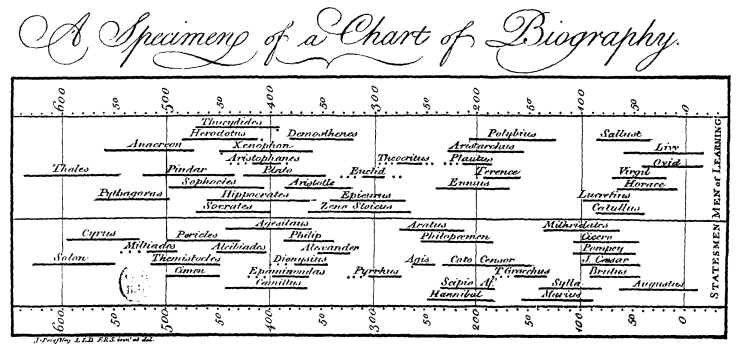
  • First Timeline - A Chart of Biography-

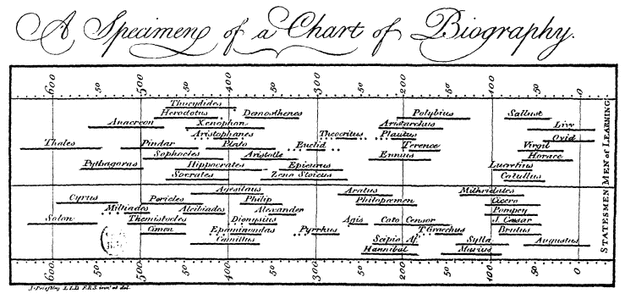
    Early and influential timeline from 1765, by Joseph Priestley. Although a new concept, Priestley argued that the abstract idea of time could be displayed on a line. "Priestley argues that although time in itself is an abstraction that may not be 'the object of any of our senses, and no image can properly be made of it, yet because it has a relation to quantity, and we can say a greater or less space of time, it admits of a natural and easy representation in our minds by the idea of a measurable space, and particularly that of a LINE.'"
    -Rosenberg, Cabinet Magazine 2004

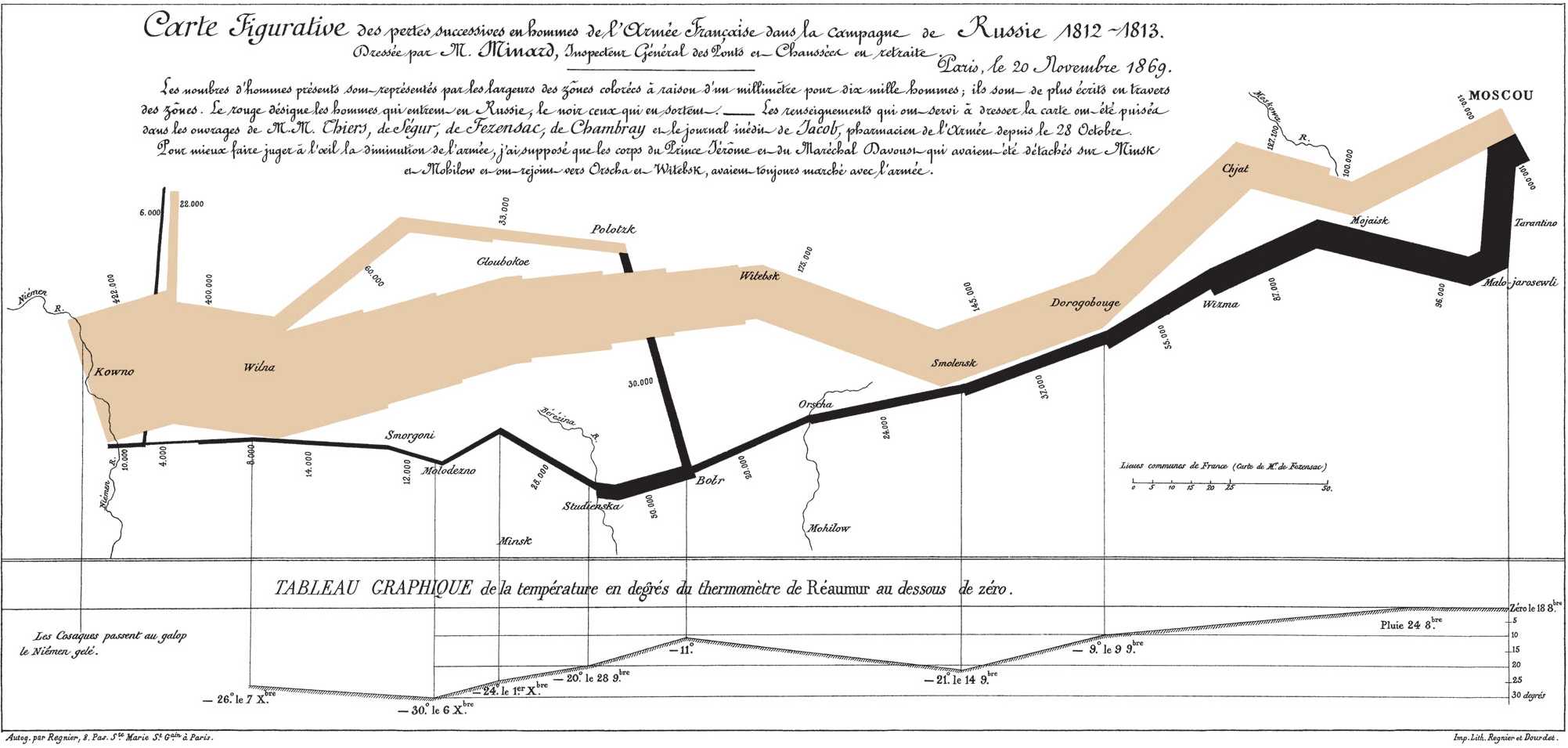
  • Charles Joseph Minard 1869 “flow map”-

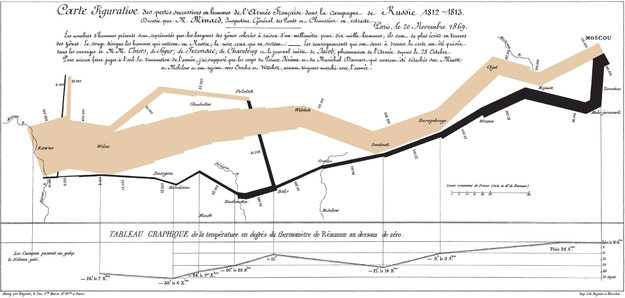
    The Charles Joseph Minard 1869 “flow map” showing Napoleon's Russian unsuccessful campaign of 1812 was highlighted by Edward Tufte and others as an example of good data visualization. Plotting time on the x-axis going left to right and then right to left, the map displays not only the timing of the campaign but also the size and distribution of the army during its attack and retreat.

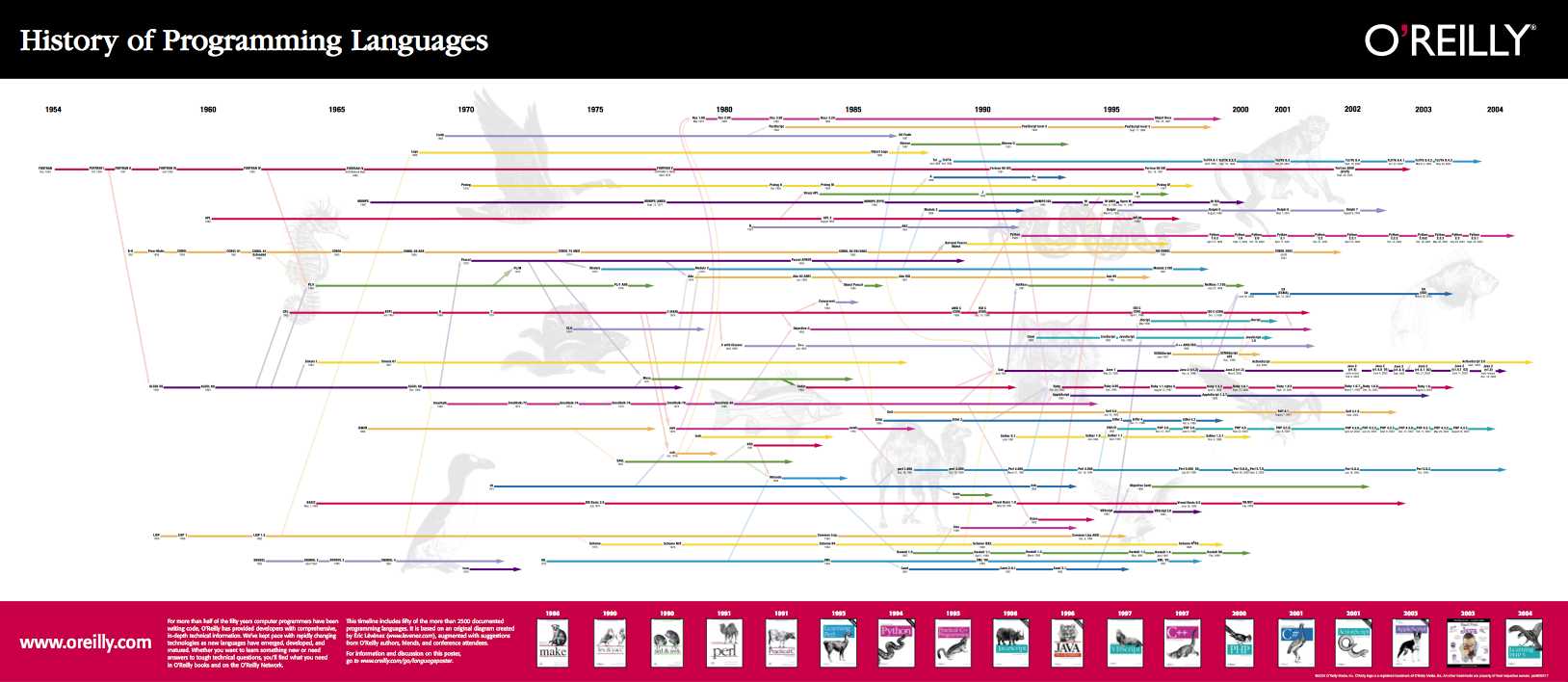
  • O'Reilly Timeline of Programming Languages-

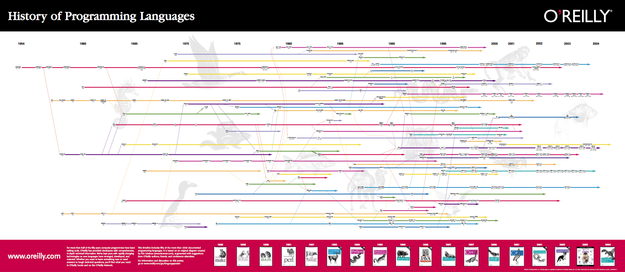
    Other visualizations show relationships between the variables. In this O’Reilly timeline of the development of programming languages, is plotted over time as is the relationship betweens these innovations.

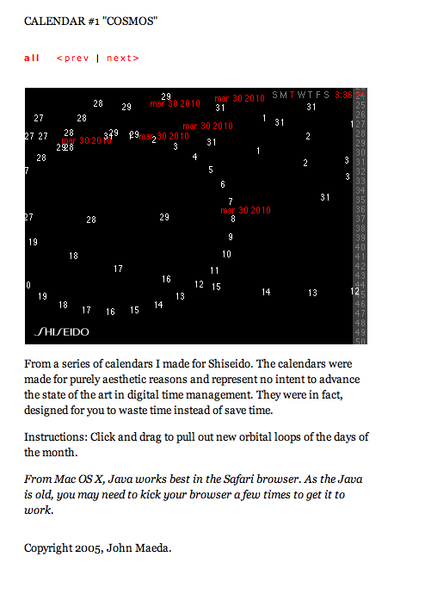
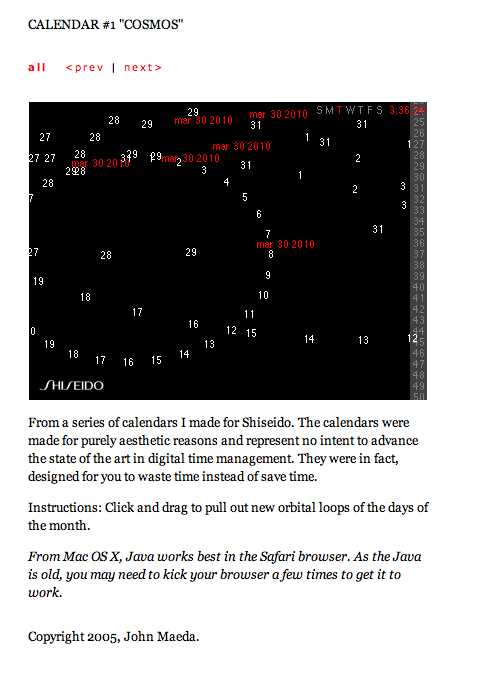
  • Maeda's Calendar 1-

    Digital media allows for dynamic generation of timelines and navigating through time to focus on one area or another. Although the digital media affords new types of designs, because these visualizations are often used for more than one application, there is less focus on relating events pictured to one another.

    In his early experiments on time, John Maeda created calendars that were meditations on time itself. Some of the methods he used were later employed to display data within a dynamic time visualization.

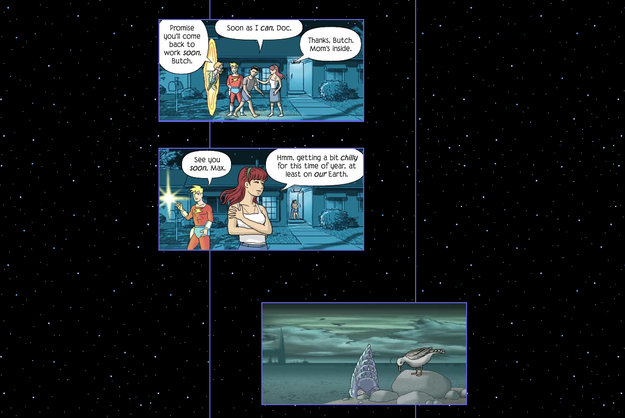
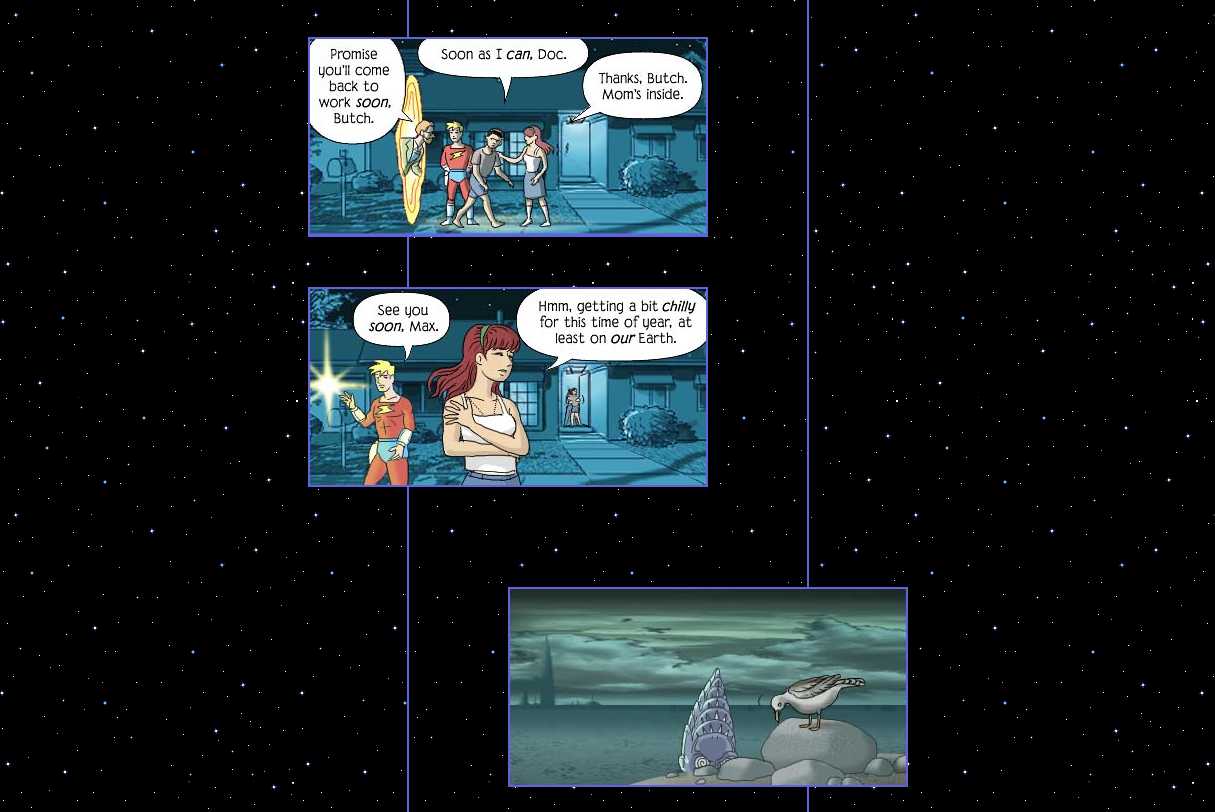
  • McCloud Online Comic Example 1-

    Comic books tell a story over time using graphics. Scott McCloud’s early online comic books in particular provide a couple insights on the digital display of time and narrative. In his initial studies he toyed with the idea of the “infinite canvas”, a page within the web browser that users navigated by scrolling. McCloud led readers through the story displayed on this visual layer.

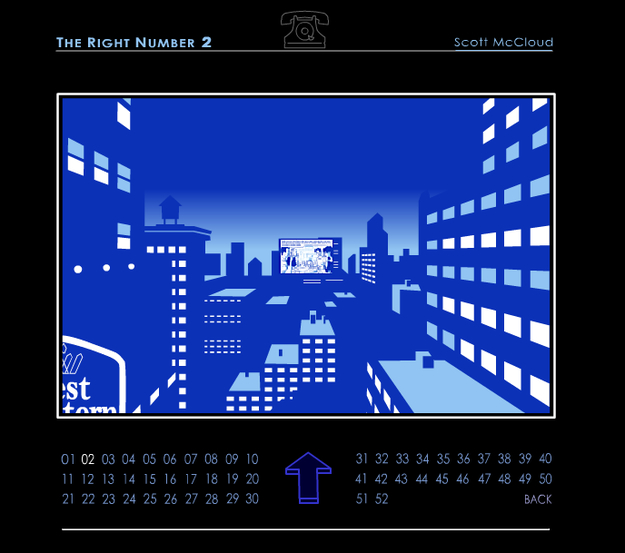
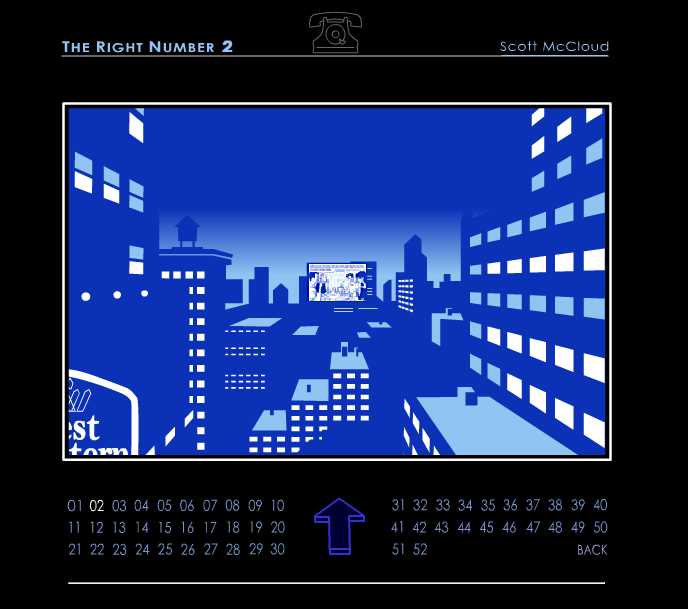
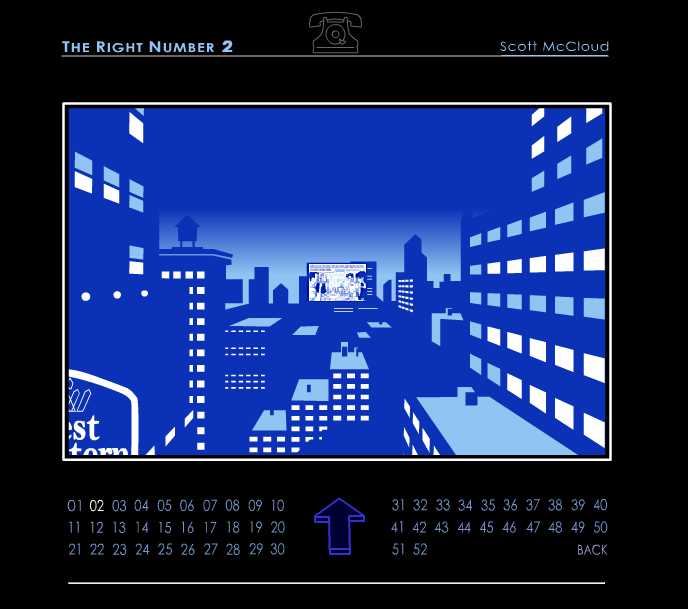
  • McCloud Online Comic Example 2-

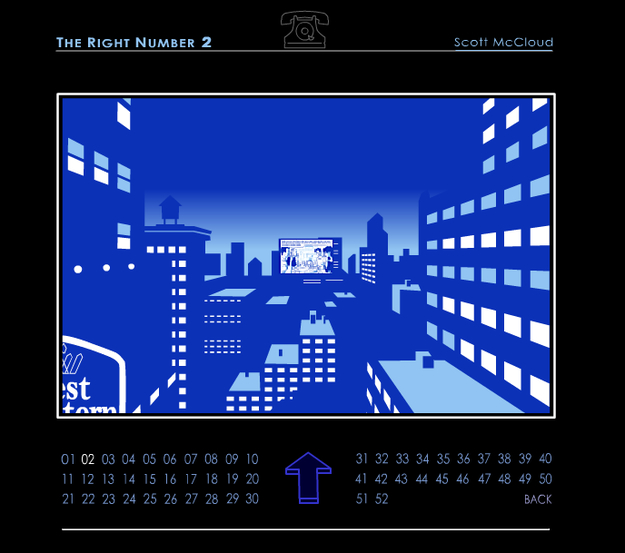
    Later McCloud experimented with displaying the story through the third dimension. The reader is literally pulled into the story as she travels into the center of the screen to move from panel to panel.

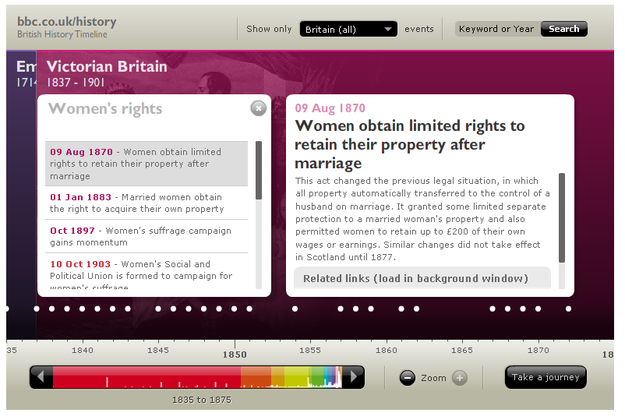
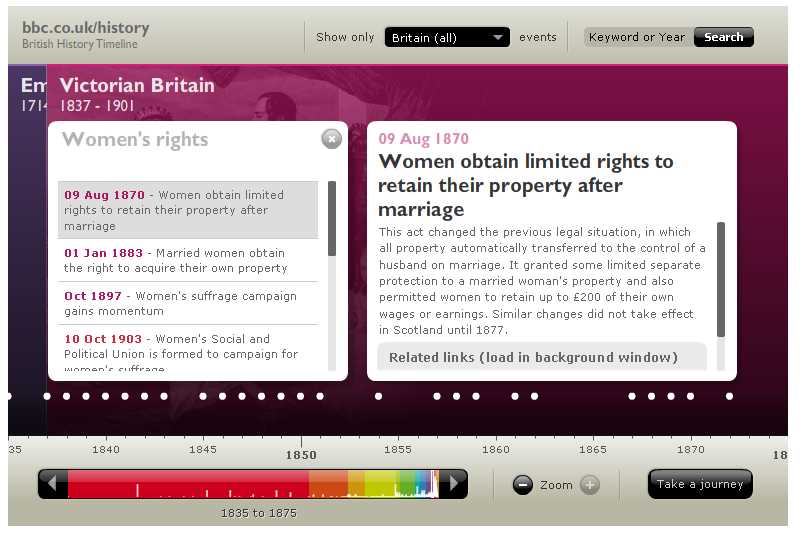
  • Example of an Interactive Timeline on BBC online-

    This [interactive timeline|http://www.bbc.co.uk/history/british/launch_tl_british.shtml] on the BBC website allows for many of these possibilities. There are two primary time scales and the ability to zoom in on the detail view. In addition, the timeline shows the context in which events occur by displaying key epochs in history as the backdrop of the visualization. The reader can also take different tours through the site that highlight related events or search the site for events of interest. Unfortunately, in the overview, there is no information about the nature of the individual events - they are just shown as dots so you have to mouse over the event to read about it. Also, it’s difficult to re-locate an event that you have seen previously unless you know exactly when it happened.

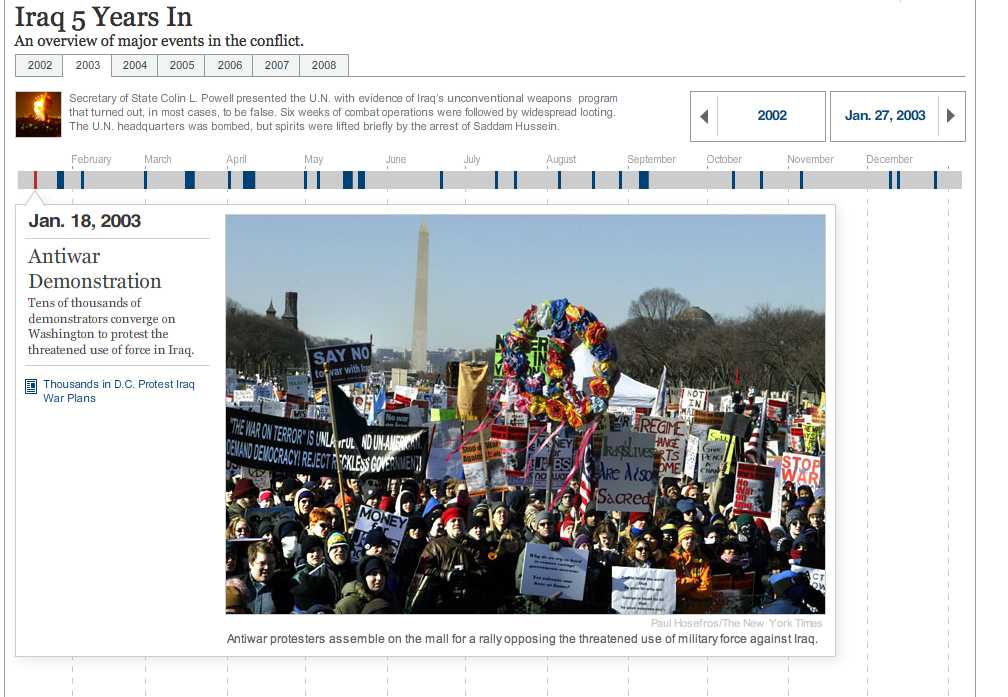
  • NYTimes_Timeline.png-

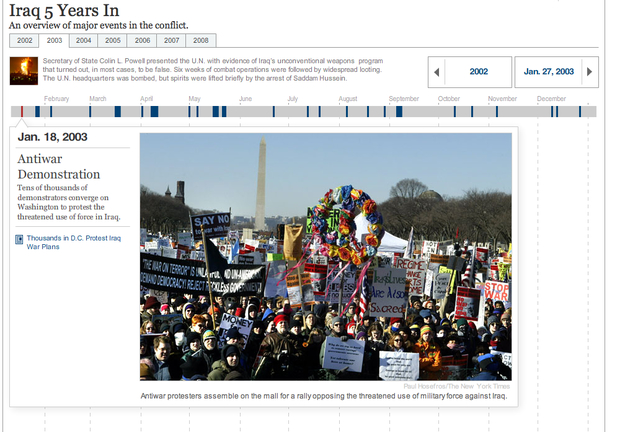
    On the NY Times site, they use interactive timelines like this one to illustrate selected news stories. These are clear and simple to navigate. Again the individual events are not labeled but mouse over reveals the content of the article immediately and without overlapping the timeline itself. The reader tabs through years to see all the contents. The drawbacks are there is no way to see all the events at once to get and overview or to read about the individual events without a mouse over.

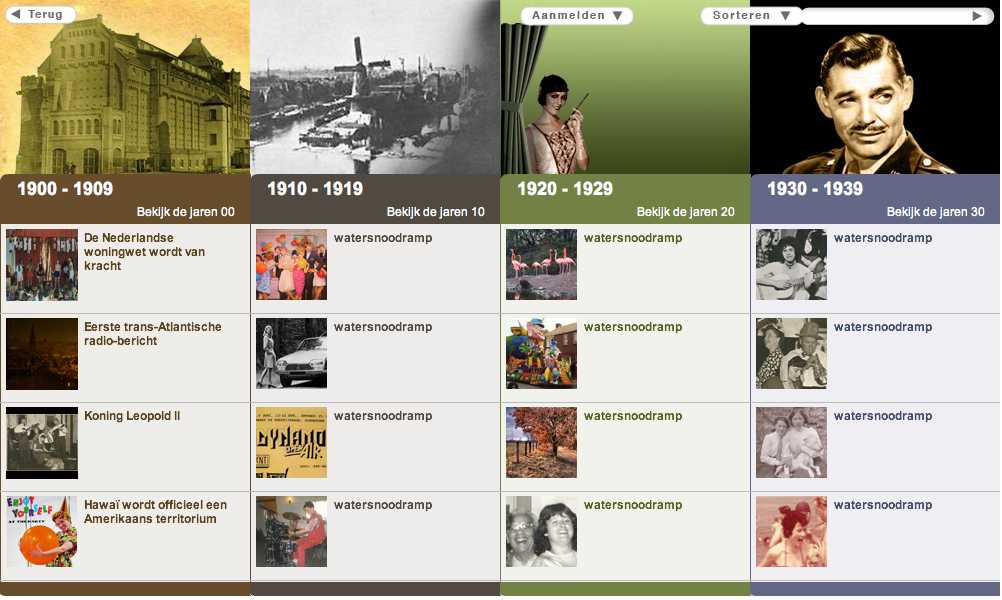
  • RVU Project-

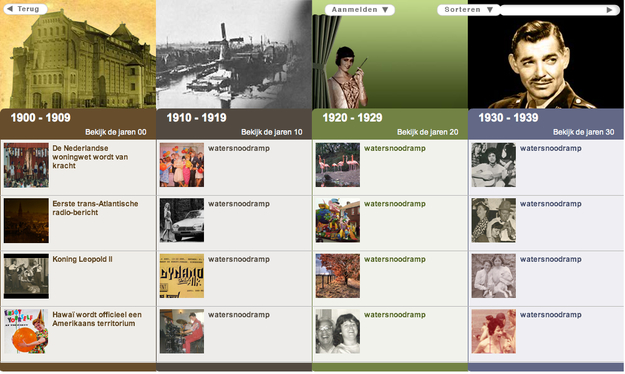
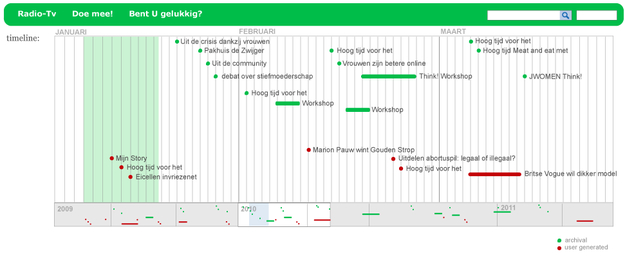
    Student project implemented in flash. This timeline shows a vivid, dynamic view of each decade. Users can drill into each one for more detail but the design does not scale for larger archives.

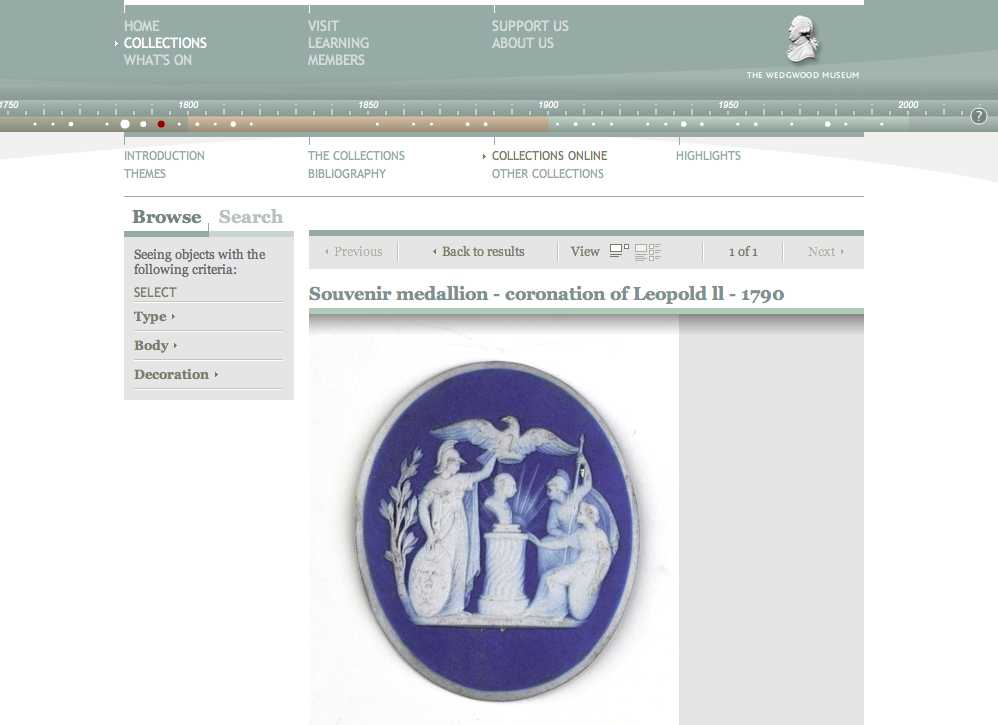
  • History of Wedgewood Timeline-

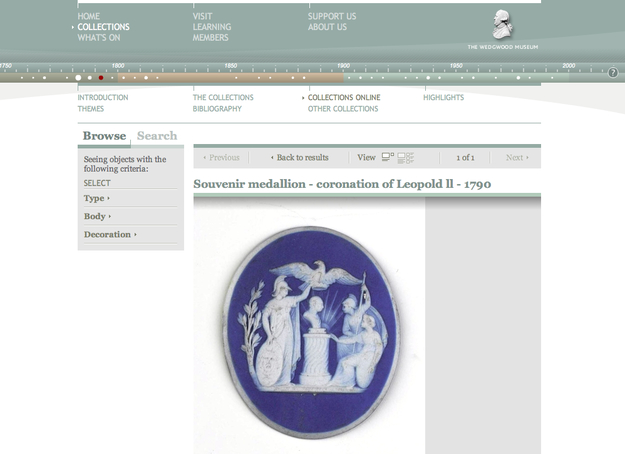
    Example of a timeline in a navigation bar. Overview is abstract. Mouse over shows and image. And, on click you see a detailed description of the object. Limitation is no idea how to re-find a piece of interest. And this may not work for a more complicated history project not based on objects.

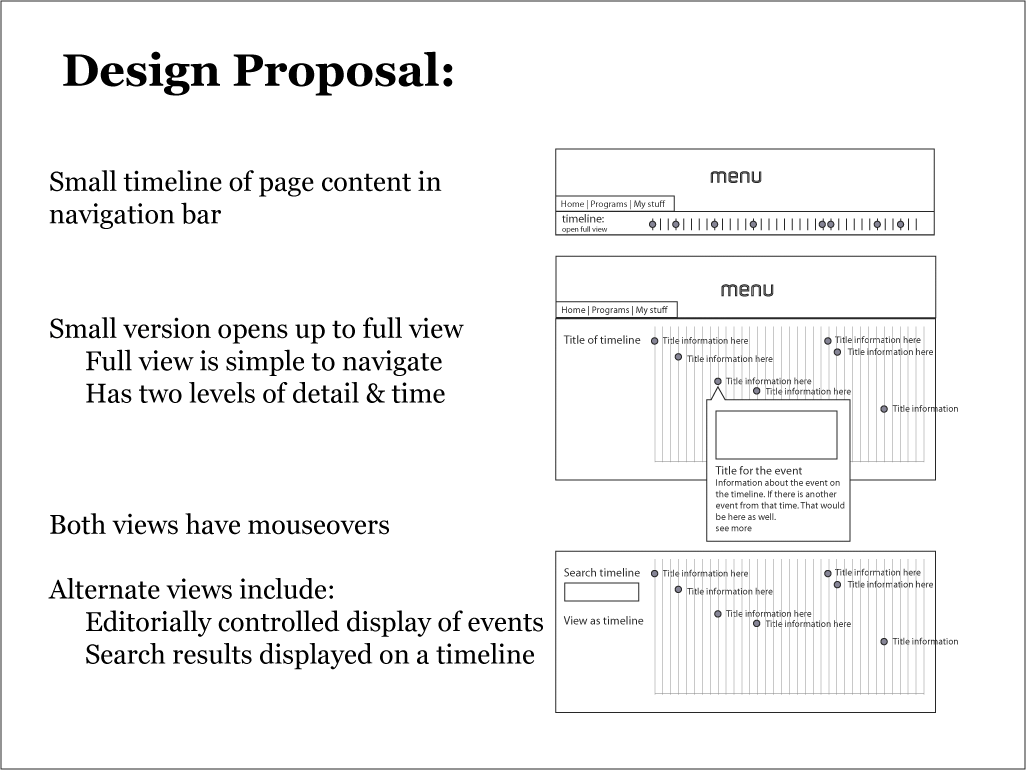
  • Proposal Wireframes-

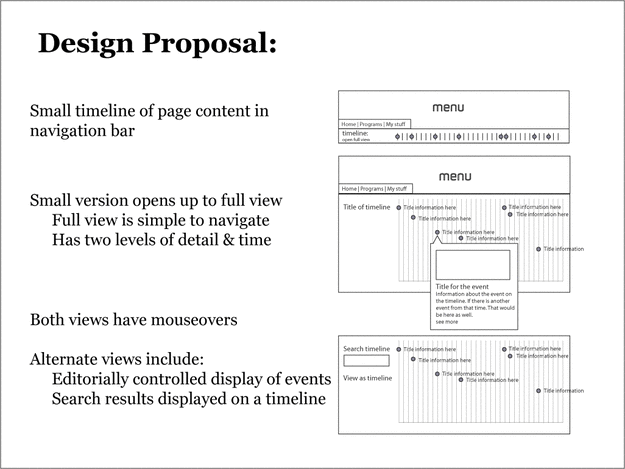
    Overview of Design Proposal

  • Screen shot 2010-03-31 at 3.15.20 PM.png-

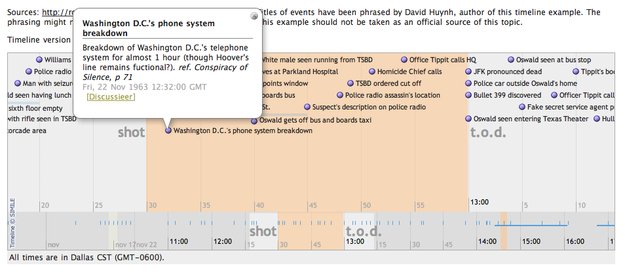
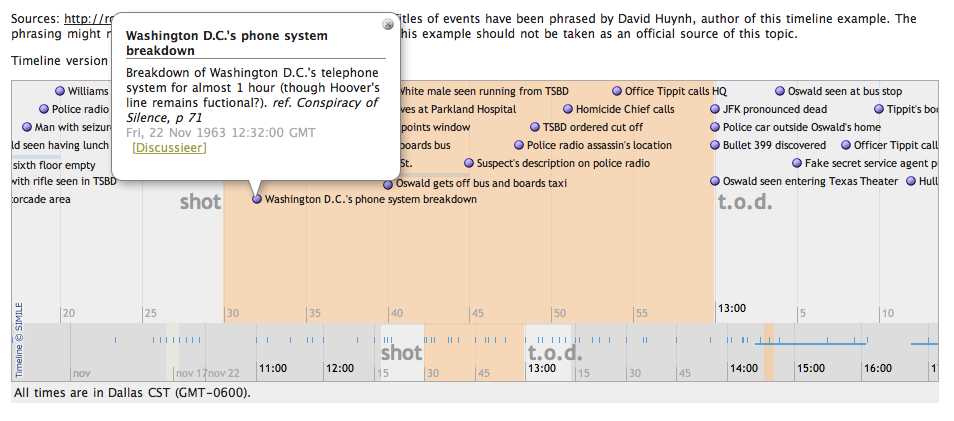
    David François Huynh while at MIT and subsequent developers have created a suite of open source visualization tools called SIMILE including a timeline widget. The timeline is clear, and easy to navigate. On their site, example time lines like this one of JFK's assassination show the data at multiple time scales. individual events are labeled for quick review, and you can see both single point events and events with a duration. One uncertainty is that the site states they support zoom functionality but forum posts indicate there may be some difficulties in the implementation.

  • Closed View-

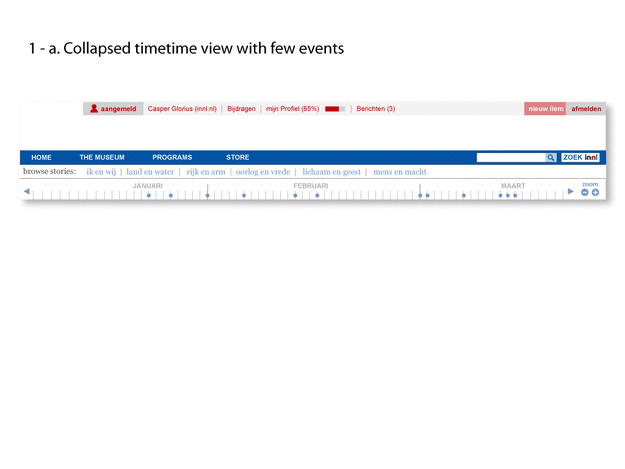
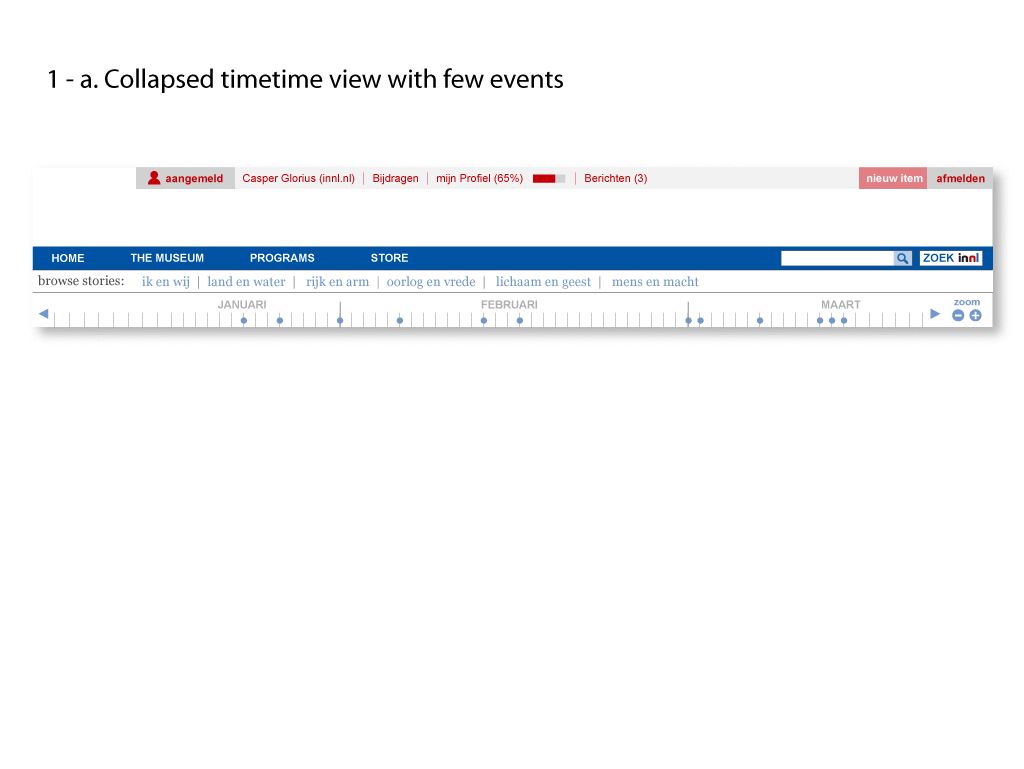
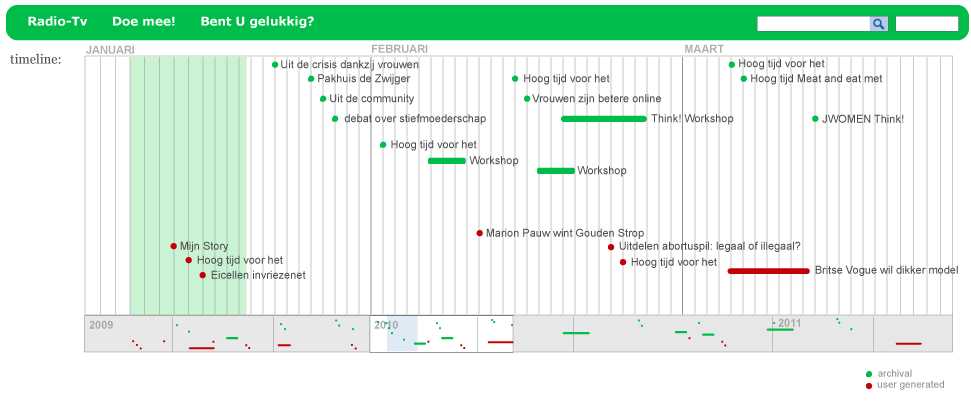
    Initial view

  • Closed Clustered-

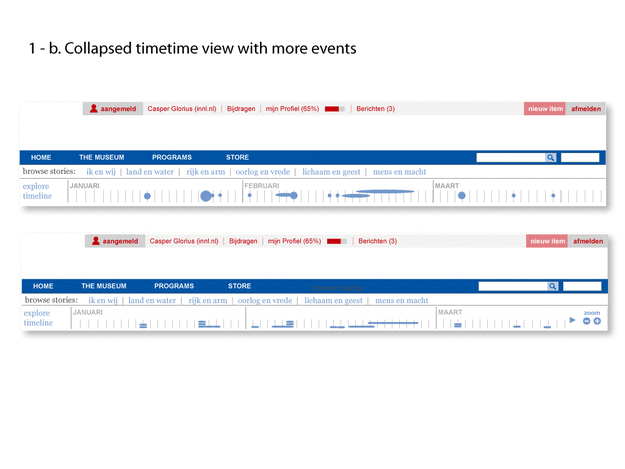
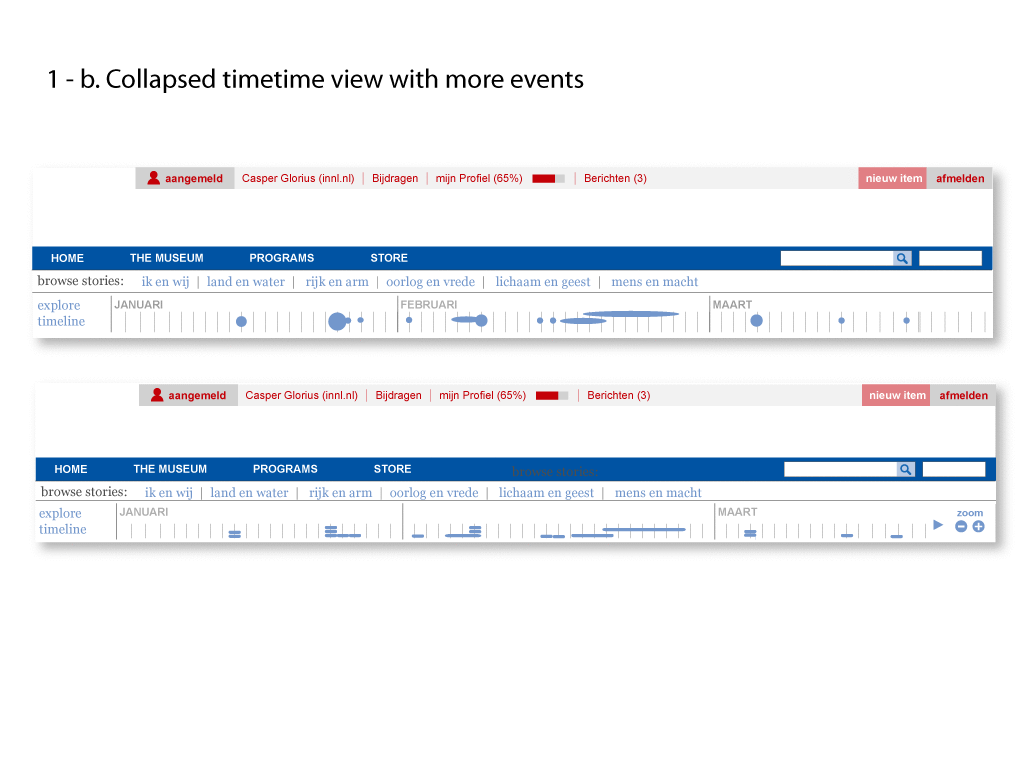
    View when there are more events.

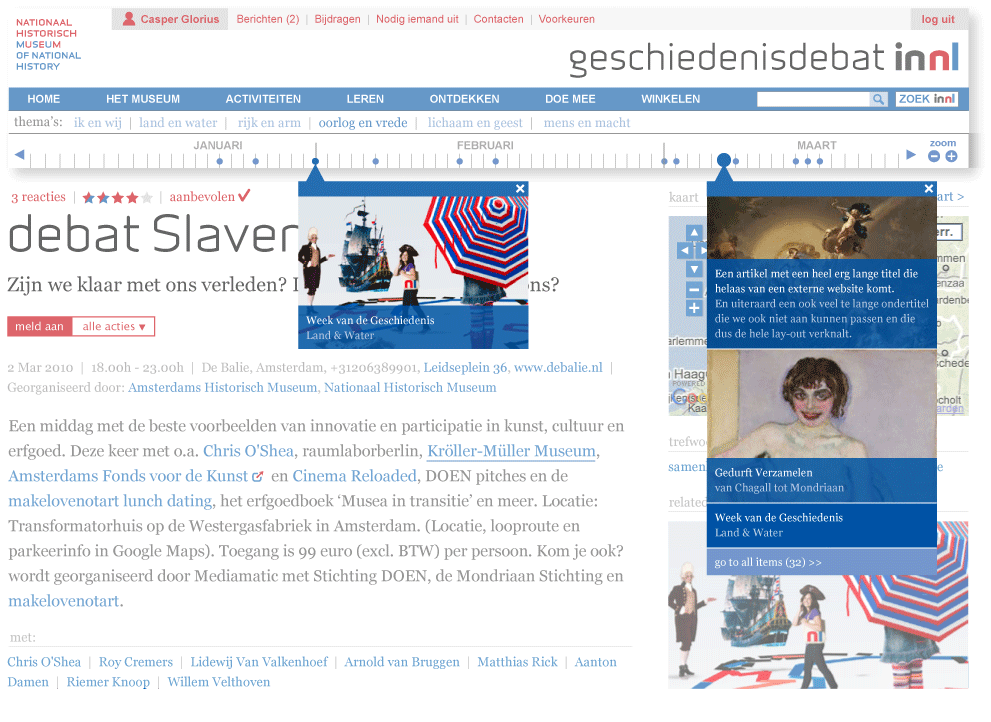
  • Details seen on Mouse Click-

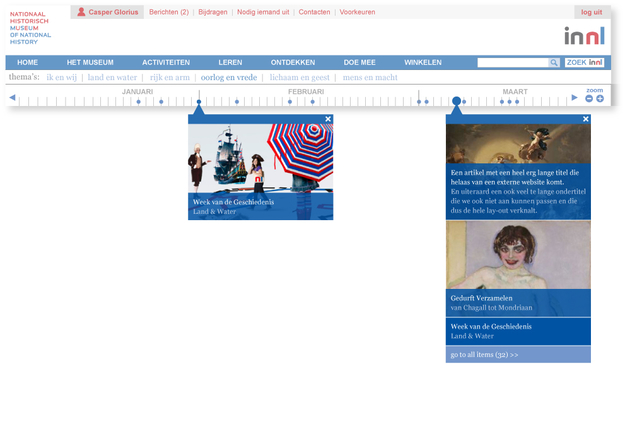
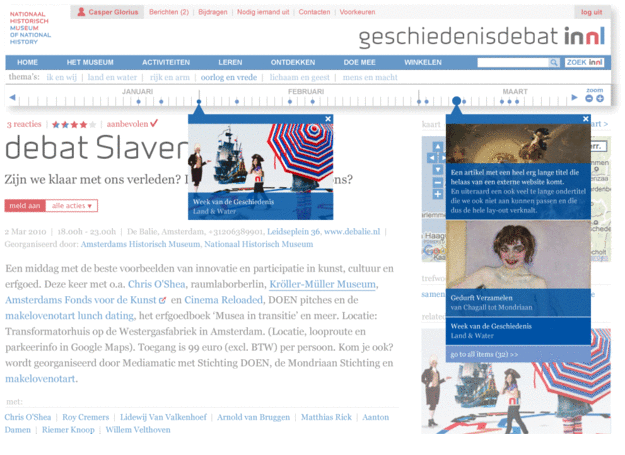
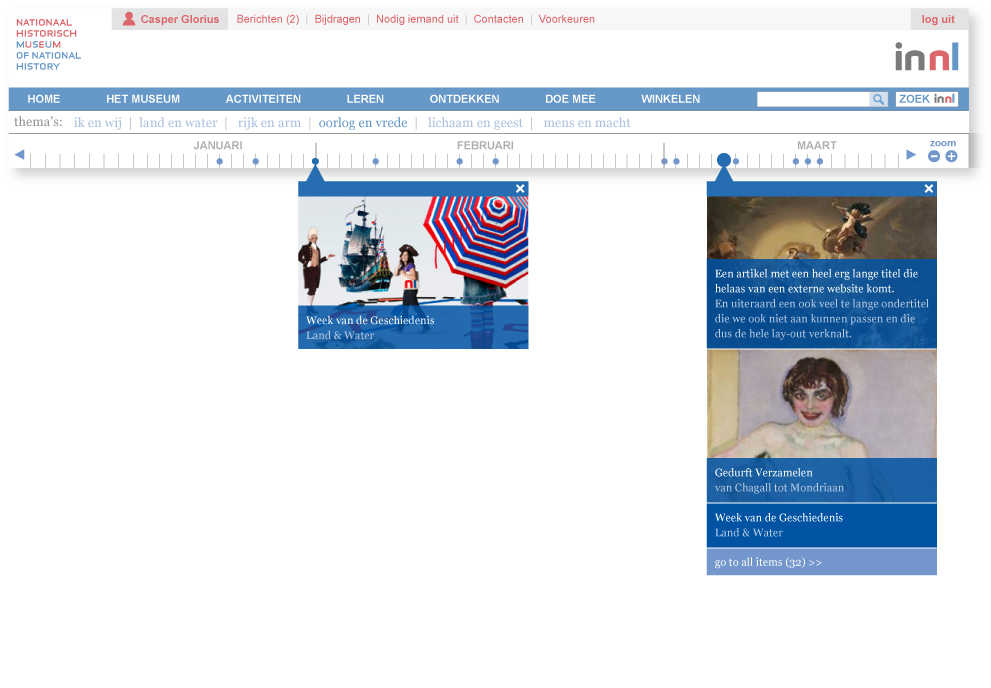
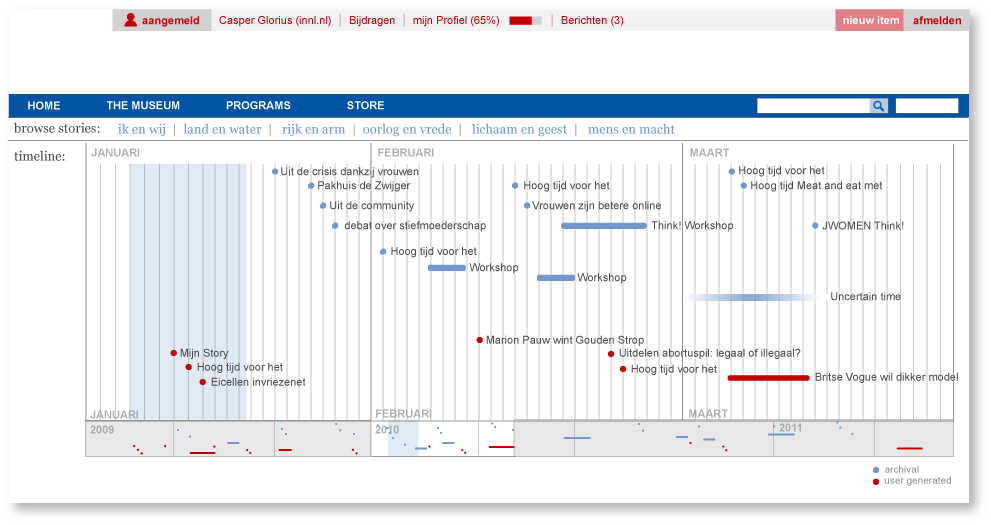
    Casper Glorious designed this view for what users will see when they click on the timeline either collapsed or full. Because it's on click, a view could see more than one and choose whether to continue on to see the article or the expanded timeline.

  • timeline Open-

    To see more detail, a user can click on the chart to open up a full view.
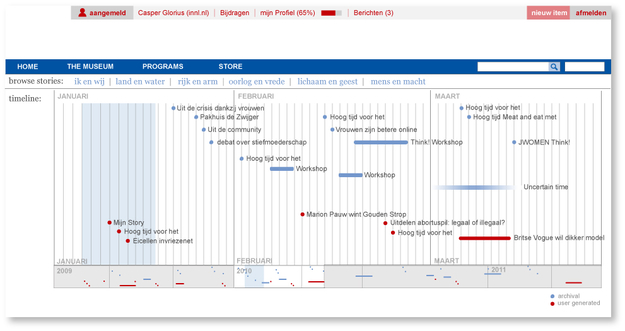
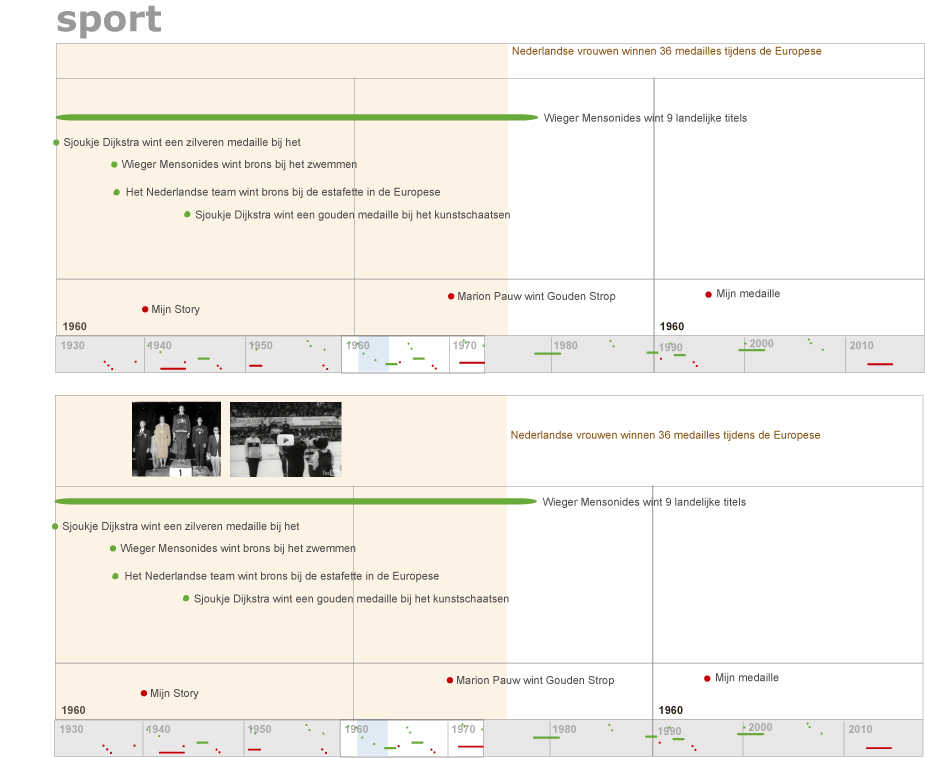
  • Timeline Open-

    Sketch for the timeline open with different types of events.
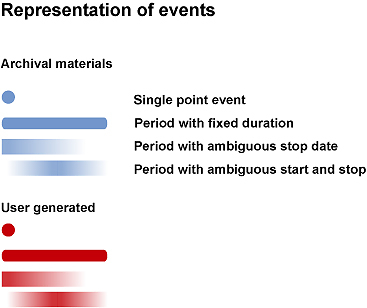
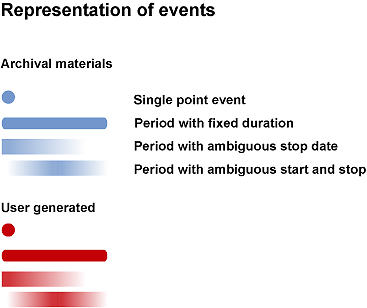
  • Event Representation-

    How different types of events could be represented on the timeline
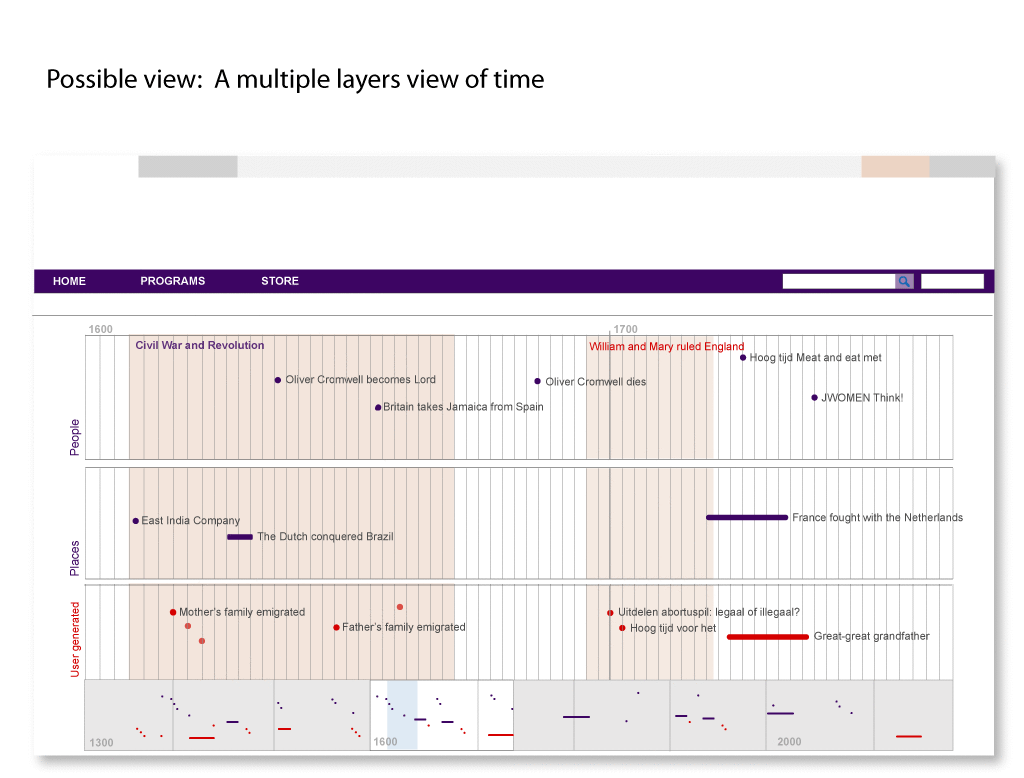
  • Timeline Open Layers-

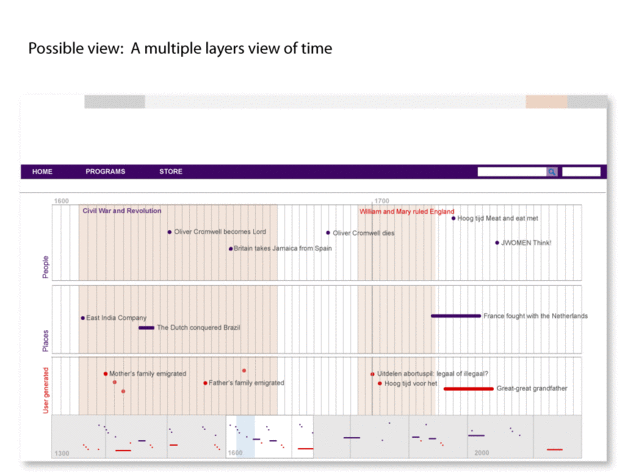
    Alternate view with layers/categories of events.
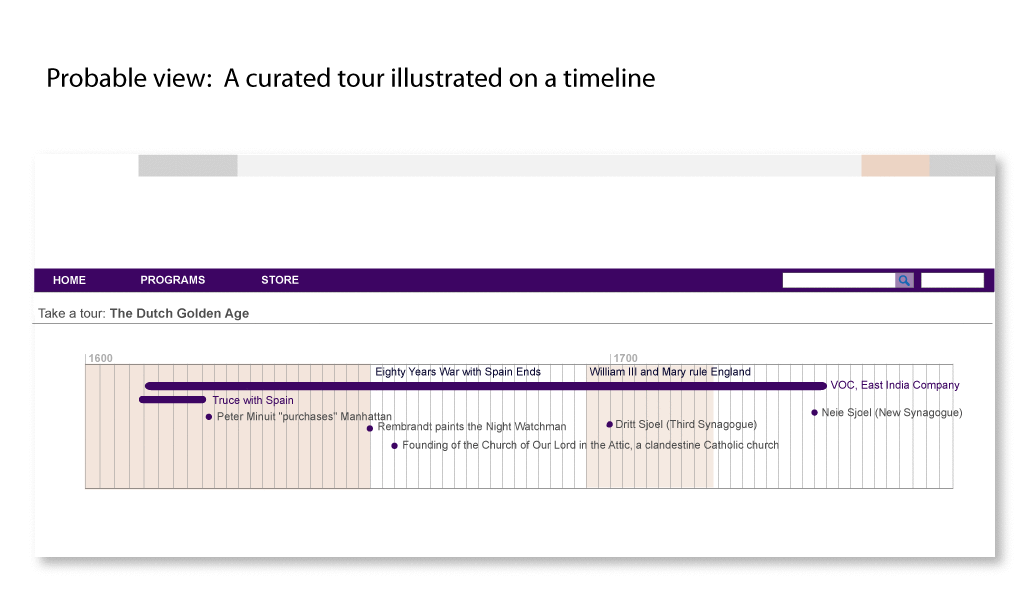
  • Curated Timeline Sketch-

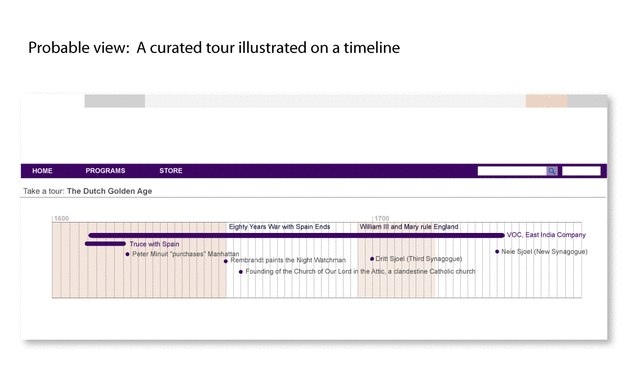
    A list publish view as a timeline. In this rough sketch I am exploring what a curated timeline could look like. An editor would chose which events to display in order to illustrate a particular story.

  • Pop Ups-

    Closed view on mouse over.

Contributions 
Comments (10)

Wonderful overview

Thanks Jeana for this wonderful overview of timelines online. I'm also pleasantly surprised by the first designs by Casper of our own timeline. Amazing work.

There's little I can add, apart from this timeline which I think is amazing in many ways, but completely out of the picture for this project;-)

,
1 Apr 2010, 23:24

Re: Wonderful overview

Jasper Visser:
Thanks Jeana for this wonderful overview of timelines online. I'm also pleasantly surprised by the first designs by Casper of our own timeline. Amazing work.
There's little I can add, apart from this timeline which I think is amazing in many ways, but completely out of the picture for this project;-)

Well, thanks but these sketches were Jeana's. ;) I also really like the research.

,
2 Apr 2010, 11:03

Physical timeline

Me and Jeana had also some interesting thoughts about how to physically represent a timeline, for example in the future building. Of course it is much to early for that, but it is fun to think about it, right?

The challenge there is to give the timeline also some sculptural qualities.

,
2 Apr 2010, 11:11

Re: Plotting Time

For example with physical objects being part of it, layed-out on the floor...

,
2 Apr 2010, 11:14

Re: Plotting Time

Or, the obvious thing to do; make a multiple user interactive display...

,
2 Apr 2010, 11:17

Re: Plotting Time

Or, combination of the latter. So digital interaction combined with physical objects. Like the Lust installation at the Boijmans van Beuningen.

http://lust.nl/lustArchive/digitaldepot/index.html

,
2 Apr 2010, 11:25

Timelines & Maps

Just found this at Smashing Magazine: map & timeline interaction, thanks to New York Times! (See also http://www.nytimes.com/interactive/2009/03/10/us/20090310-immigration-explorer.html)

,
6 Apr 2010, 17:58

Ten by Ten

Jonathan Harris came up with some interesting ways to browse through time and world events. Ten by Ten is a grid, consisting of hundred pictures, connected to news-articles on the web. The text-oriented user can go to the right side of the grid, and mouse-over the hundred tags, related to the picture and click them. Clicking gives acces to the most popular articles on the web, related to that tag. The grid is refreshed every hour. The user can re-generate a specific time in history as precize as the exact hour on a particular date. Well, up until november 2004 that is. In any case: there is more where this came from.

http://tenbyten.org/10x10.html

  • Ten by Ten - By Jonathan Haris-

    Jonathan Harris came up with some interesting ways to browse through time and world events. Ten by Ten is a grid, consisting of hundred pictures, connected to what is happening in the news. The grid is refreshed every hour. The user can go back to november 2004.

,
7 Apr 2010, 13:50

Re: Plotting Time

I love your collection of inspiration.
If you keep this up the project should turn out beautifully!

,
8 Apr 2010, 16:23

Telling (hi)stories

Thanks for your great collection. Some more research on timelines (in German): http://www.weblaundrette.com/2011/05/geschichten-erzahlen-2/

29 Oct 2011, 11:29
Comments (10)